Artlook Online has lots of places where a pre-configured list of options drops down for you to make a choice (adding tags or categories to items, or categories to contacts, etc). While menu of these lists can be added to “on the fly”, by simply typing in a new item, it is desirable to have your lists worked out and logical before you start.
This configuration option allows you to create and edit those lists.
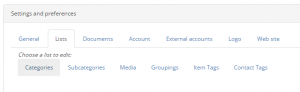
There are six categories of list: Categories, Subcategories, Media, Groupings, Item Tags, and Contact Tags.
In each case, select the category you wish to work with and the current list (or an empty box) will appear.
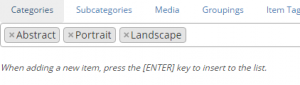
You can remove existing items by clicking on their “x” to the left of each one. To add a new one, just type it in and hit Enter.
Don’t forget to Save your changes!