To view or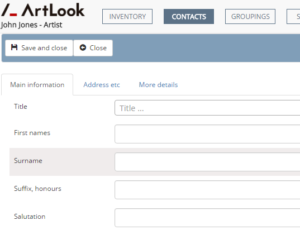 edit a contact record, simply click on it. To add a new record, click the “New” button on the toolbar. All these actions will bring you to the contacts record form. If you have chosen an existing record, the fields will be populated, otherwise they will be blank and waiting for you to complete the data entry.
The various tabs allow you navigate between sets of data. If this is a standardrecord there will only be three tabs: Main information, Address etc, and More details. If this is an artist record then there will be two additional tabs: Works, and Artist details.
The File As field is very important. You can put anything you wish in this field and it will be used for sorting and can be used for display of contact names. If you leave it untouched, the system will fill it for you, using Surname plus a comma plus First names. You might for example prefer to have an organisation name in here.
The Type field is also very important and is used by Artlook in many areas. Choose from Contact or Buyer and on some versions Supplier and Artist too.
You can also add a Profile Picture for a contact. Choose the “Profile picture” button at the right of the toolbar.
Always remember to save your changes.